Overview
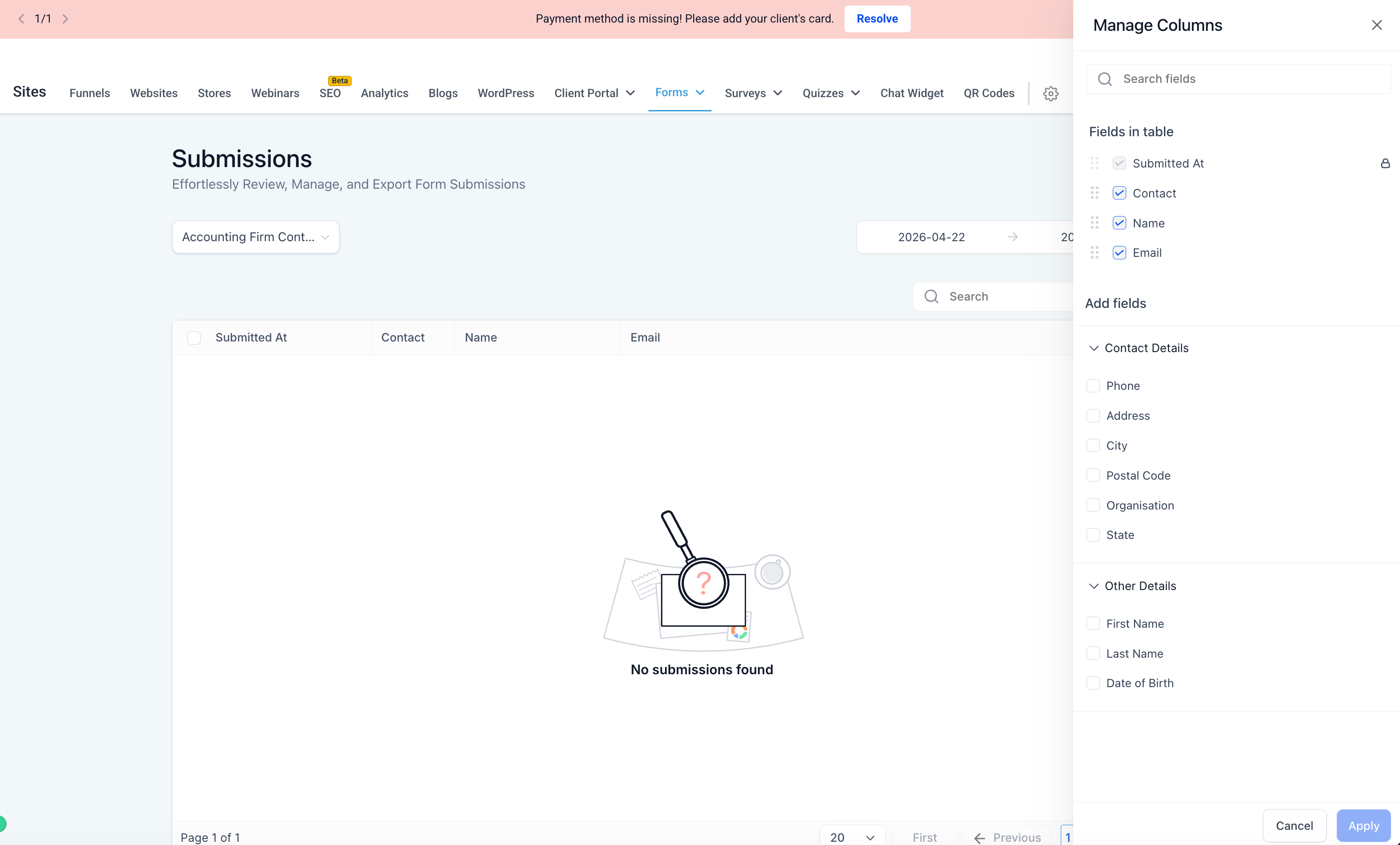
Improved Manage Fields so you can now see all fields from your form, survey, or quiz — even if those fields don’t have submission data yet.
Previously, Manage Fields only showed fields that had already received data in at least one submission. Now, it also includes fields from the form definition, making it easier to manage columns before submissions come in.
What’s improved
Manage Fields now shows all fields from your form, survey, or quiz definition
New fields are visible even if they haven’t received any submission data yet
Fields added after earlier submissions will now appear in the available fields list
Available but unselected fields show up in the Add Fields section
How to access
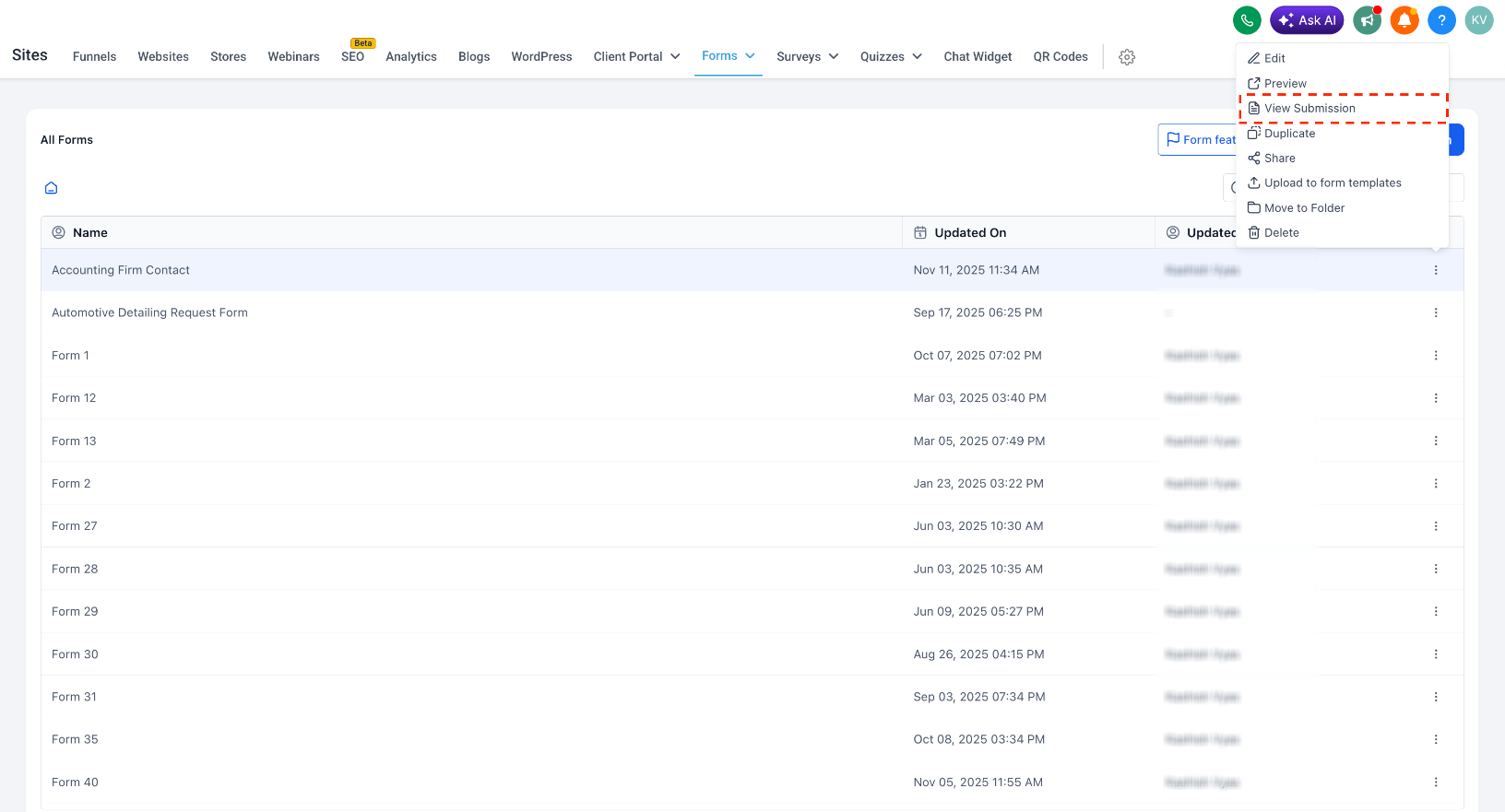
Go to Sites > Forms, Surveys, or Quizzes
Open the three-dot menu for the item you want
Click View Submission
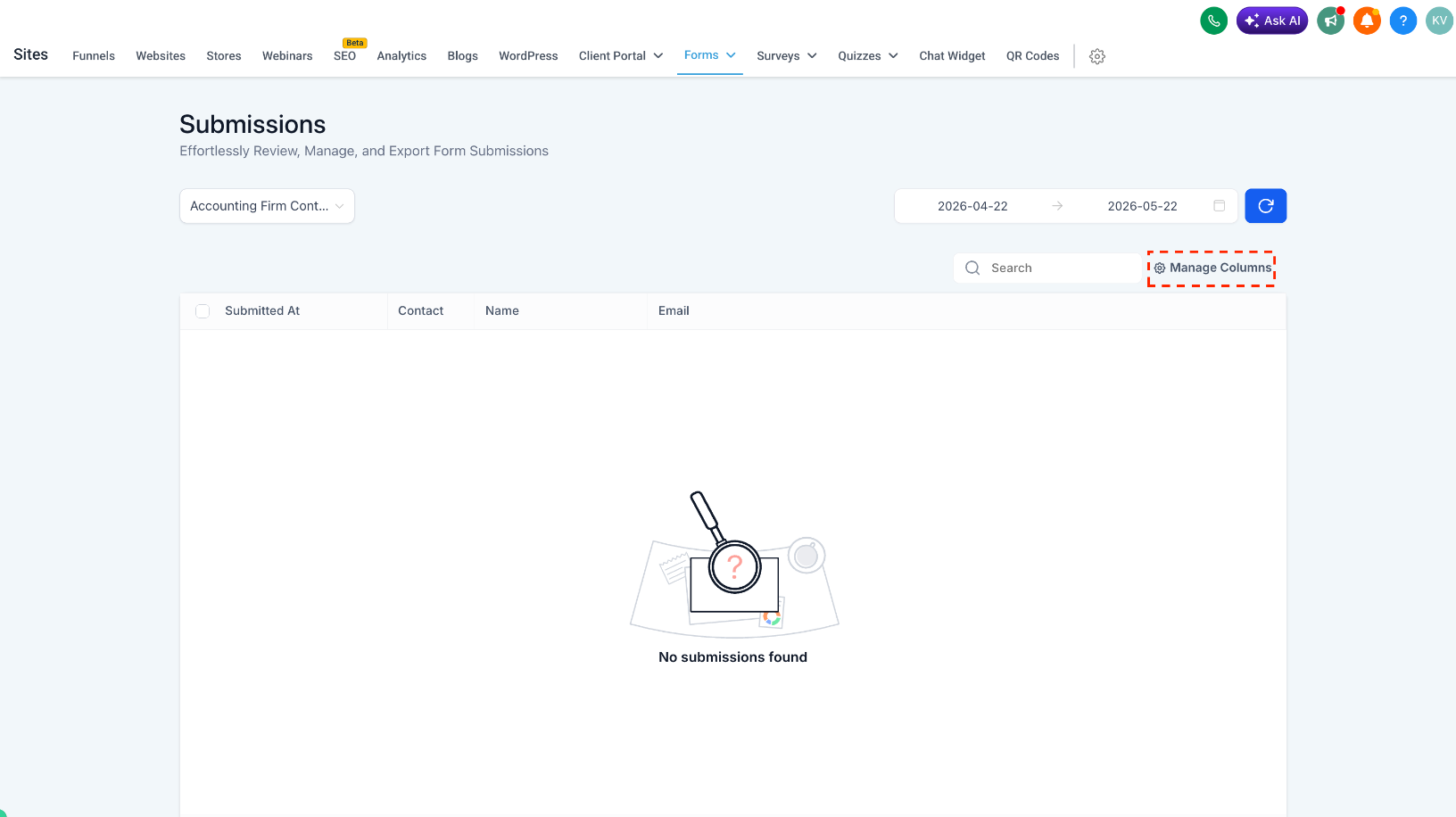
On the Submissions page, click Manage Columns to view and add fields from the definition, even if they don’t have submission data yet
Why it matters
Makes it easier to manage columns before new submissions come in
Gives you better visibility into all available fields
Helps you prepare reports and views without waiting for test or live submissions
Creates a more complete and predictable submissions management experience
Was this article helpful?
That’s Great!
Thank you for your feedback
Sorry! We couldn't be helpful
Thank you for your feedback
Feedback sent
We appreciate your effort and will try to fix the article